PROJECT NOTES / Video workflows · Mobile interaction
DoctorDefender
Turn a long recording into a navigable review workflow
A mobile interaction workflow brings video segments, patient assignment, source text and review actions together.
01 / THE WORKFLOW
Start with the workflow
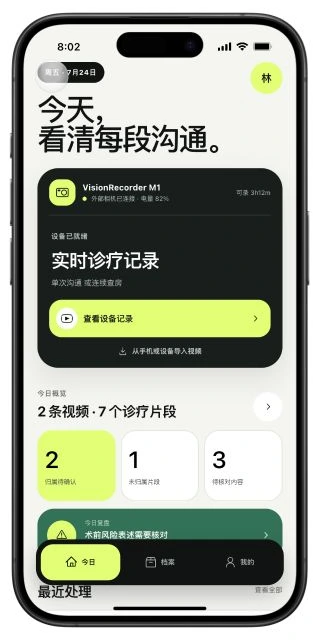
DoctorDefender organizes the interface around Today, Records and Profile. This case focuses on video organization and human review: inspect recording status, open a segment, and return to a patient timeline and the original context.
- 01Review today's activity
- 02Inspect video segments
- 03Confirm patient assignment
- 04Review text in context
02 / INTERFACE & INTERACTION
How the interface supports the task
Put pending work on the home screen
The Today screen separates device status, recordings, segments and review tasks. Pending assignments, unassigned segments and review items each lead to their own workflow.
Make the segment the unit of work
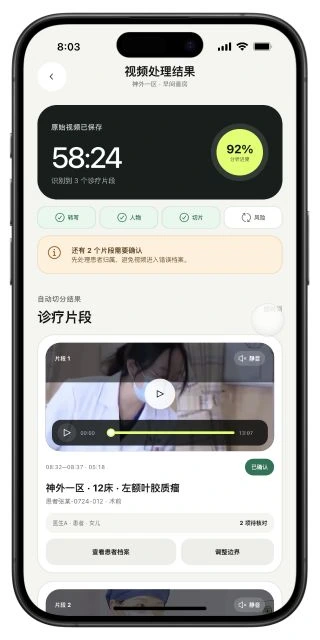
The results screen arranges segments by time and shows their boundaries, patient assignment, speakers and review counts. Videos start muted and support playback and seeking. Assignment states distinguish confirmed, suggested and unassigned records.
Keep the surrounding context
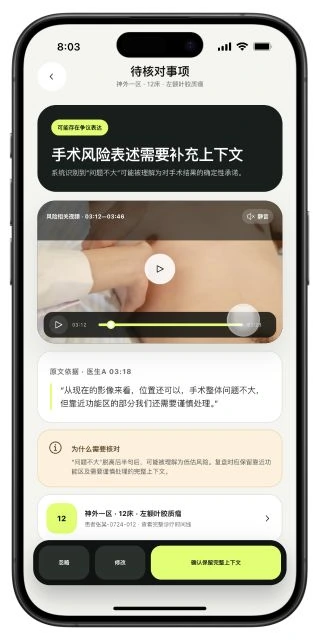
A review detail puts the video interval, transcript excerpt and reason for review together, with confirm, edit and ignore actions. A patient entry connects the item back to the full encounter timeline.
03 / ENGINEERING NOTES
The engineering behind the interface
Separate screen state from business objects
React and TypeScript organize recording, segment, patient and review screens. Time ranges, speakers, assignments and review items appear as separate information rather than a single processing status.
Reuse playback across screens
HTML5 Video supports segment and detail playback. Controls connect the playback position, seek bar and segment timing. Text and video occupy separate areas so the source excerpt can remain visible during playback.
Design human review around AI outputs
Suggestions and user confirmations use distinct interactions. Users can select a patient, adjust segment boundaries and edit or ignore review items. The case shows how those review entry points and screen states connect.
MORE PROJECTS
More project notes
Medical imaging · 3D visualization
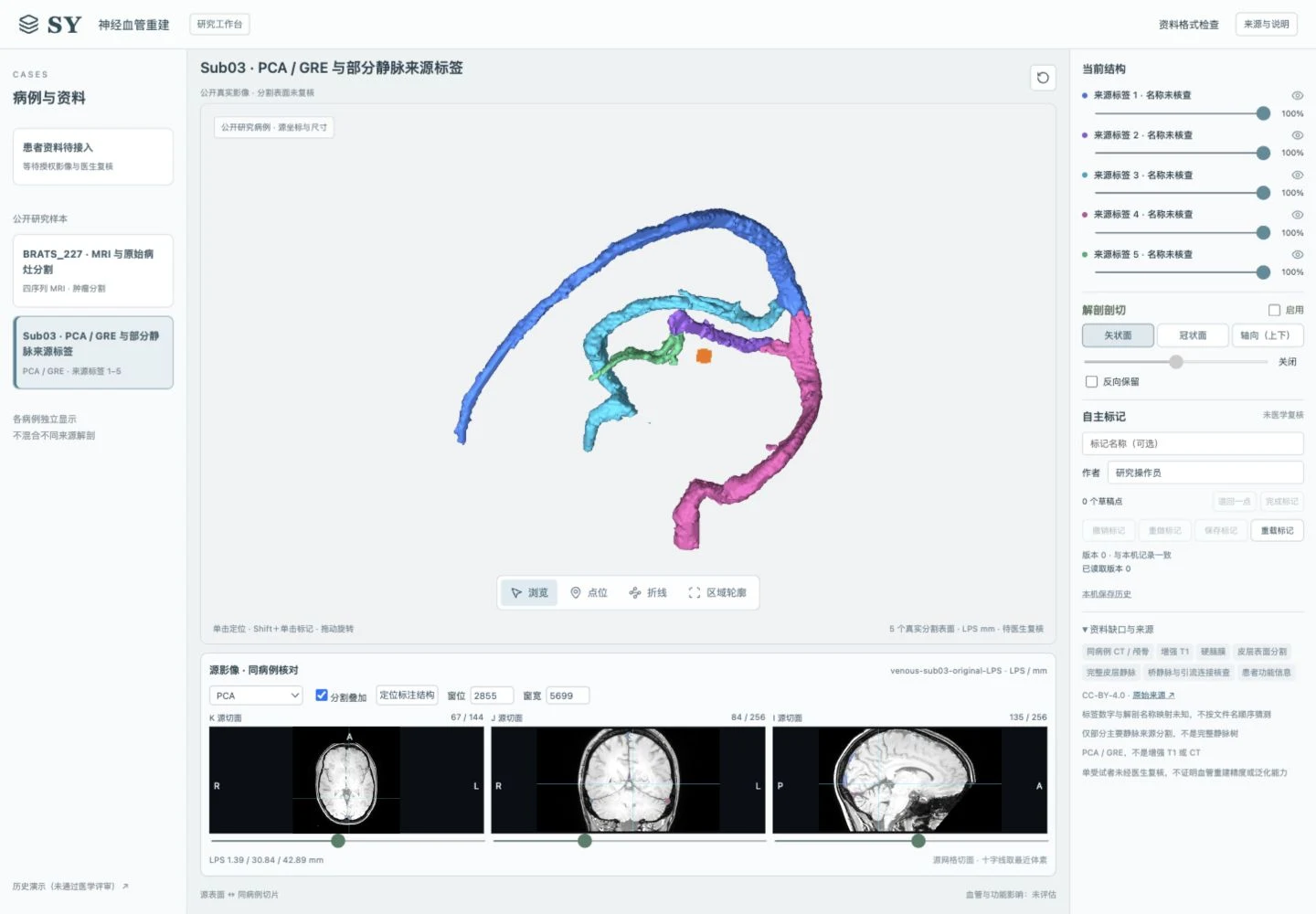
Neurosurgical Vascular Reconstruction System
Connect MRI, segmentation surfaces, source slices and user annotations so a point in 3D can be traced back to its image coordinates.

Research platforms · Evidence organization
Academic Echo · 学术回声
Connect DOI lookup, metadata confirmation and discussion with interfaces and services built for scholarly expression and clear identity boundaries.